

From permission slip to roll call, all in one place
Risk assessment, approval and parent consent, in the same system that runs the activity.
Make the case before anyone books a bus
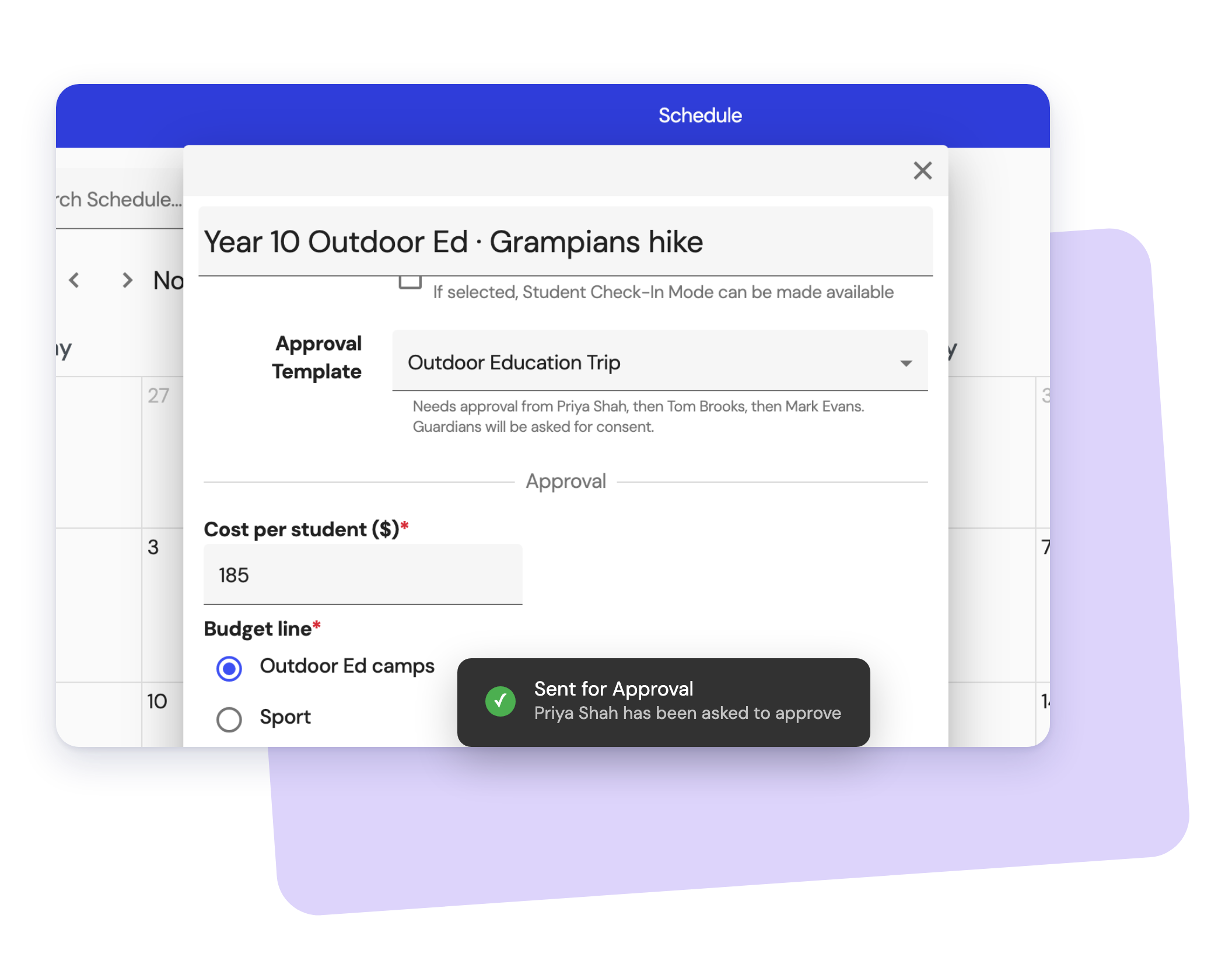
Your school decides what every request has to answer, once. Organisers fill it in on the activity it's for, so approvers see the full picture in one place.
- Questions you set, in your school's own words
- Cost per student and the budget it comes from
- Why it's worth doing and what else was considered
- Attachments like a venue booking or provider quote
A risk assessment that matches the activity
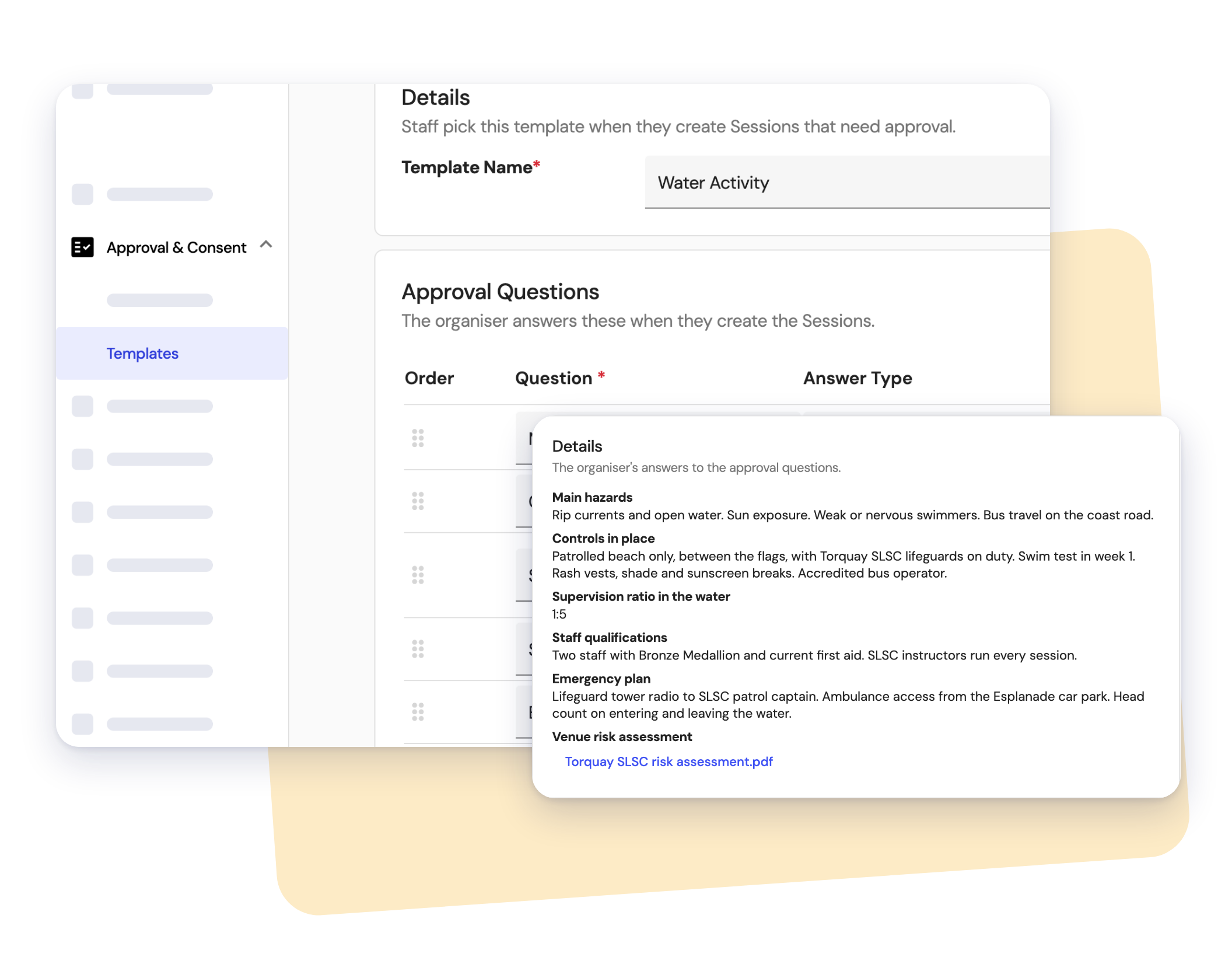
Duty of care starts here. Your school sets the risk questions for each kind of activity and organisers answer them as part of planning it. Approvers then read the assessment alongside everything else they're signing off.
- Hazards, controls and the emergency plan, in your school's words
- Supervision ratios and staff qualifications
- The venue or provider's own risk assessment attached
- A dated record of who submitted it and who signed off
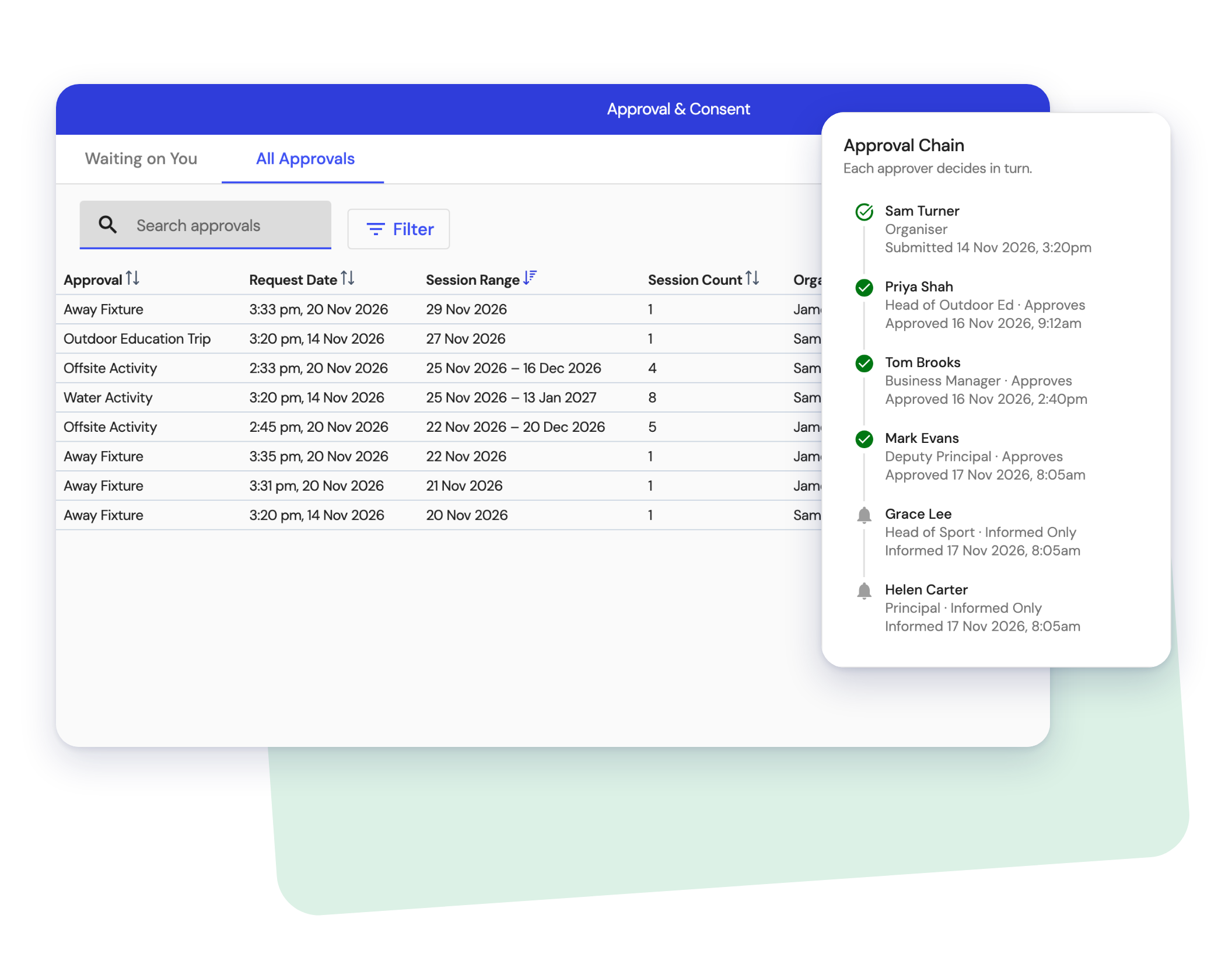
The right people sign off, in the right order
Your school chooses who approves each kind of activity and in what order. Each approver gets the request when it's their turn and sees everything they need to decide. Staff who only need to know are kept informed.
- Approve, or decline with a comment so the organiser knows what to fix
- Change the plan and the chain starts again, so nobody approves something they didn't see
- Once it's signed off, every session it covers counts as approved
Consent parents can finish on their phone
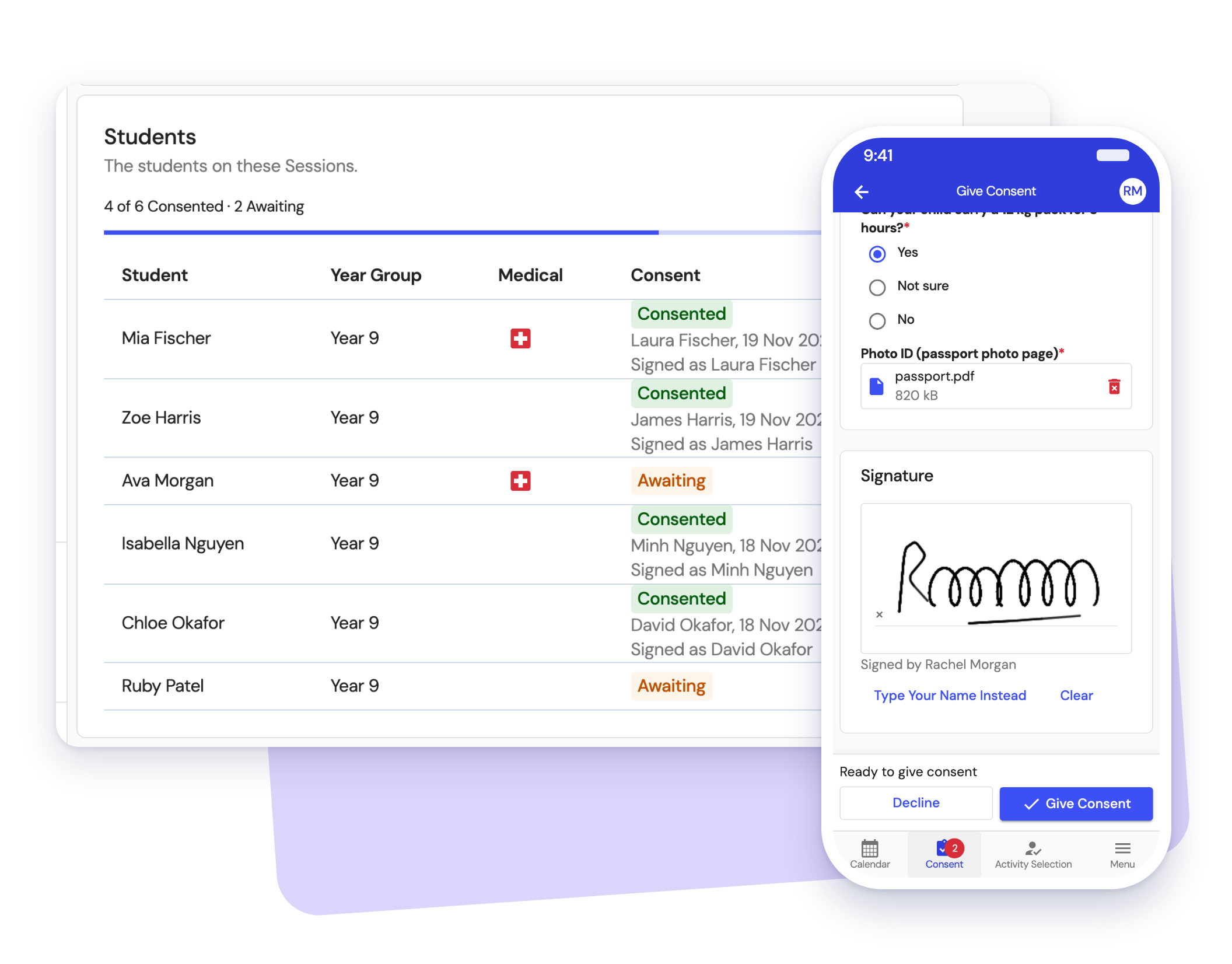
As soon as it's approved, families get a consent form in the Clipboard parent portal. They check their child's medical conditions, answer your questions, upload what you ask for, sign and they're done.
- Questions you choose, from dietary needs to swimming ability
- File uploads for passports, medical action plans or certificates
- A real signature, stored against the student and the activity
- Who's consented and who's still to answer, as it happens
Know who has consent before the bus leaves
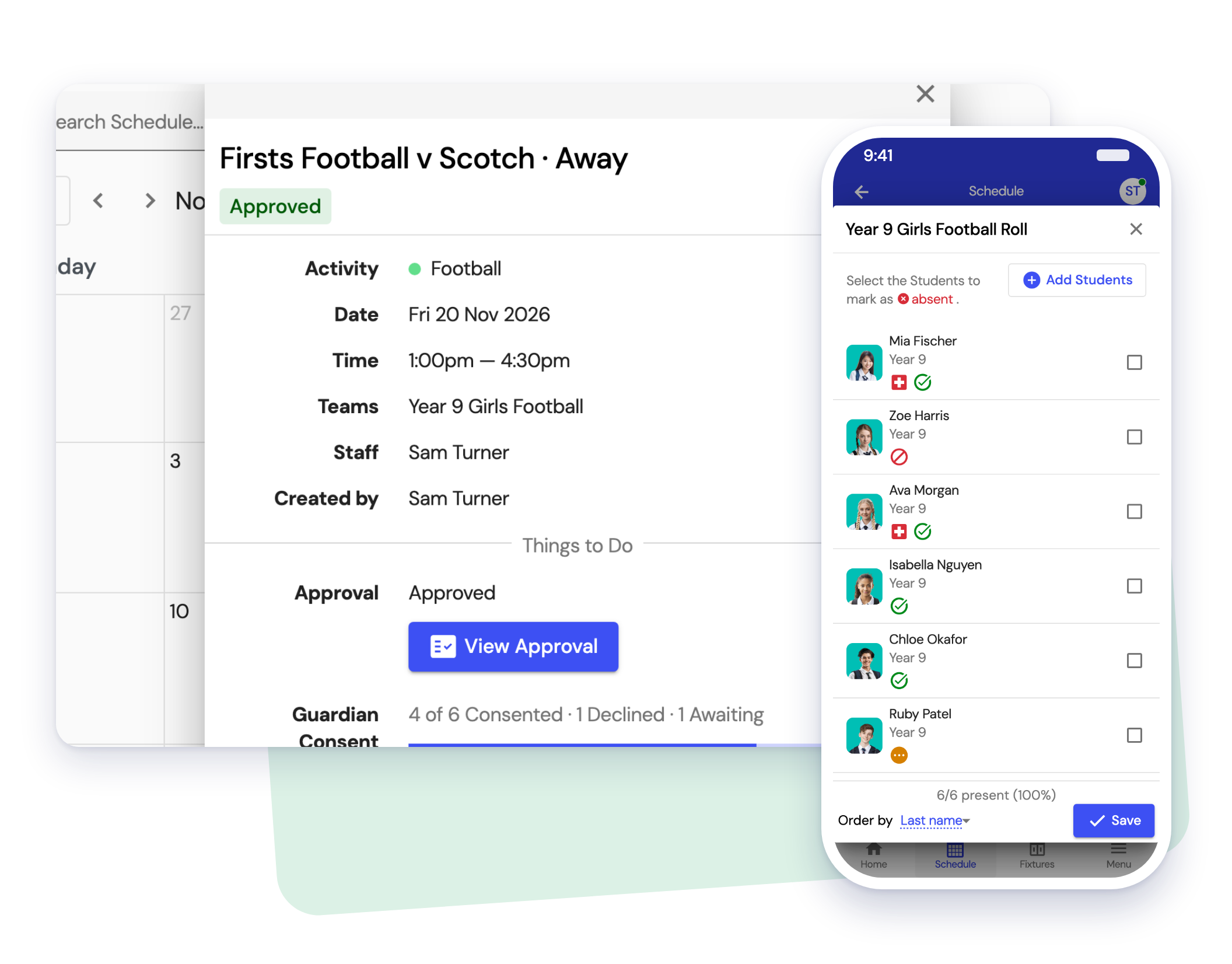
Approval and consent show on the session and on the same roll staff mark attendance on. Teachers see who has consent, who doesn't and which students have medical conditions, without a separate app or a printed list.
- Consent status beside every name on the roll
- Medical alerts on the same row
- A clear record of who approved, who consented and who attended